Viewmode Tool [UE5]

User interface
Demo - Toggling different view modes
Demo - Show/hide categories and save settings

Tool UI (buttons/panels) generated from a Data Table, which also stores commands needed for buttons
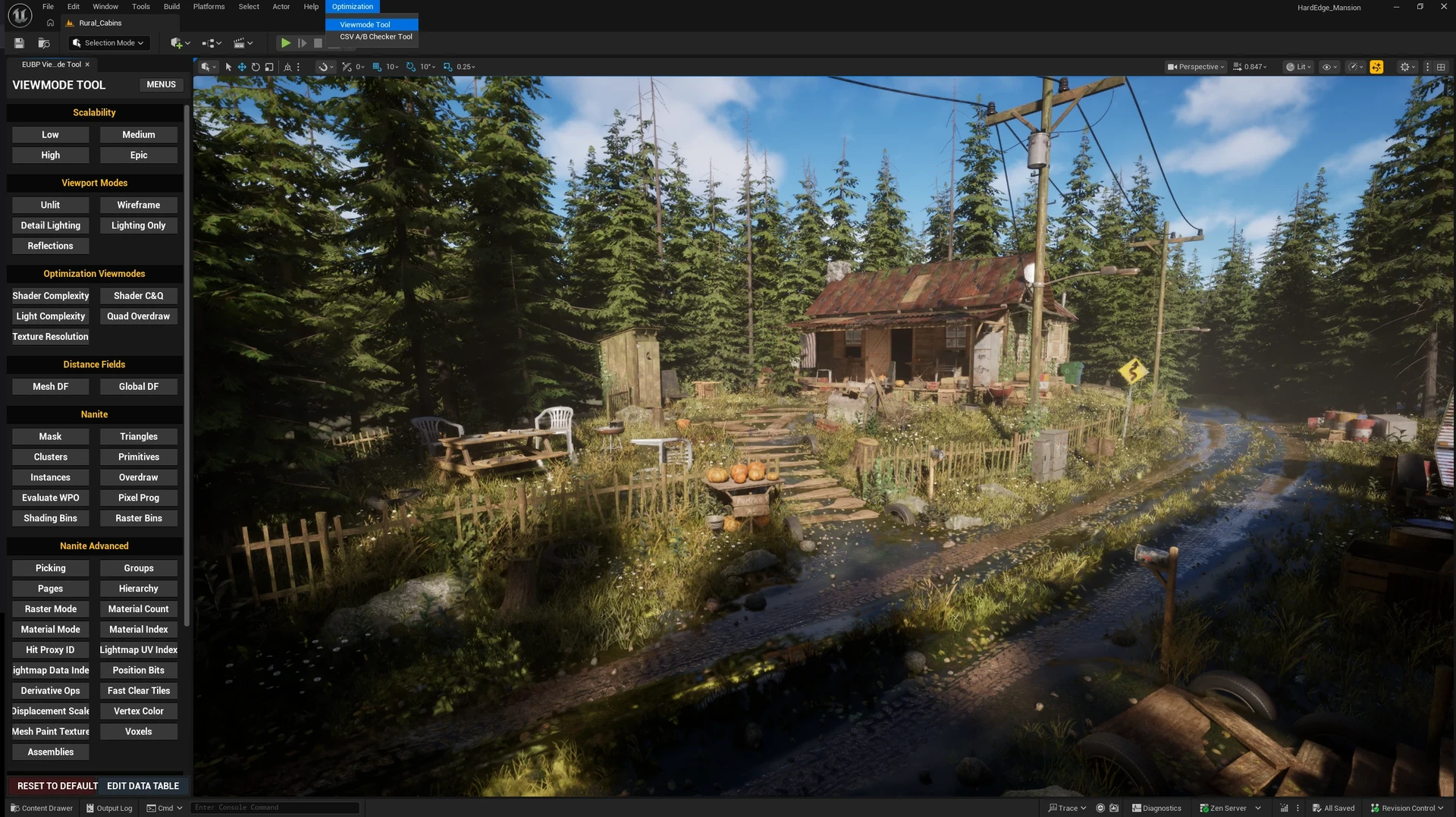
Added to custom menu bar using C++ for easy access


C++ | Used to store and retrieve tool settings from config file, allowing settings to persist between editor sessions
Viewmode Tool [UE5]
Problem: Manually hunting through nested sub-menus and typing console commands to switch between performance and optimization view modes is tedious and heavily disrupts profiling workflows in Unreal Engine.
-
Solution: This tool centralizes performance visualization into a easily accessible panel, speeding up profiling and debugging workflows.
-
Features: The UI panels and buttons are dynamically generated from a Data Table, which also stores the underlying commands for scalability. Users can show or hide specific button categories to customize the tool to their preference. I used C++ to handle saving and retrieving preferences from a config file so the tool stays the same across editor sessions. I've also built integrated the tool into a custom Unreal Editor menu bar for ease of access.
--
Special thanks to my mentor, Filipe Strazzeri, for his guidance on the architecture of this tool.